

1 Rookie
•
68 Posts
•
7 Points
0
1249
November 19th, 2024 16:51
Replacement motherboard windows key won't activate
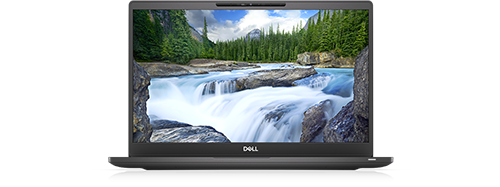
Latitude 7300
We are decomissioning a few of our older latitudes. Mostly 7470 or 7400s from the 2018/2019 era. All of the latitudes I'm working on were purchased with Windows 10 Pro, and we've never had to enter a product key - either the key was autodetected (embedded in the motherboard), or was possibly never autodetected because we've been using Microsoft E5 licensing recently. But some of our latitudes have had the motherboard replaced, and that's where this issue seems to start.
After completely wiping and using Dell SupportAssist OS recovery to reimage Windows 10 the physical license keys that came with the motherboard replacements won't activate. These are sealed envelopes that had the Windows Key covered by a sticker. Admittedly I didn't keep track of which windows key went with which laptop (we've had several motherboard replacements over the years), so I have a drawer with a few dozen replacement Windows 10 keys that were never opened but are all similar. When I'm trying to activate any of my systems that had a motherboard replacement, unsealing and entering one of these license keys results in activation failure with Windows recommending I go buy a valid license from the Microsoft Store. I've tried several of my sealed replacement keys and they all fail activation.
I remember the service tech handing these to me at each motherboard replacement and I tucked them into my drawer of goodies. They've never been unsealed, I had to tear the envelope open to get the key out from behind the sticker. They are generally a few years old, but these should be valid keys and so far none of them will activate. Is this a Dell issue or a Microsoft issue? What's the right way to proceed?
It's also tricky because I don't remember which machines had a motherboard replacement, so I'm just trying to use these as I come across a system that won't autodetect a Windows key. But none of them seem to work.
drivesmeupawall
1 Rookie
•
68 Posts
•
7 Points
1
December 3rd, 2024 14:24
@ann_droid Thanks again. There was no option to 'Activate by Phone' but I was able to open the activation troubleshooter and request a callback from Microsoft. (It might take 5 hours or more for them to call you back!) The MS agent had me run the 'slui 4' command which returned nothing.
The agent ran several of the Dell provided license keys in their system, each showing only the date I attempted to activate them. They even ran some I had not attempted to use. All of them showed as "blocked" in Microsoft's system, even those which had never had an activation attempt. The agent had to get a supervisor or two before they finally figured out the issue...
It turns out that the license keys provided by Dell, if not activated in a certain amount of time, are "returned" to Microsoft and shut down. That's right, the Dell provided Windows license keys will EXPIRE if they are not used in time! Microsoft could not tell me what the time period was. So my only option here is to have Dell provide an updated license key for each motherboard replacement.
We both learned something new - the Microsoft agent had never heard of this before either.
drivesmeupawall
1 Rookie
•
68 Posts
•
7 Points
0
November 25th, 2024 14:33
Any ideas? A week later my update is that Dell wants $99 to have tech support assist because all of these systems are out of warranty. Microsoft takes about 6 hours to call back, which really isn't helpful. Is this an issue Dell should resolve or Microsoft?
ann_droid
2 Intern
•
508 Posts
0
November 26th, 2024 14:40
@drivesmeupawall
Hi
If this covers what you have already tried, apologies.
Select the Start button, then select Settings > Update & Security > Activation > Change Product Key, then enter the product key. Enter your product key in Settings.
################
https://www.cyberciti.biz/faq/linux-find-windows-10-oem-product-key-command/
I have used the above commands and I hope it helps.
(edited)
drivesmeupawall
1 Rookie
•
68 Posts
•
7 Points
0
November 27th, 2024 15:23
@ann_droid Thank you, no worries. I'm happy to try any advice offered.
But yes, 'Change Product Key' is where I'm entering the product key. And on this system, the various commands to read the embedded key just returns a blank line, which also makes sense as I have in our service records that the motherboard was replaced on this system. My issue is that the Dell supplied keys don't seem to be approved by Microsoft.
(edited)
ann_droid
2 Intern
•
508 Posts
0
November 27th, 2024 22:50
To activate Windows 10 by phone:
Select Start > Settings > Update & Security > Activation.
Under Activate Windows Now section, select Activate by Phone.
Select your location (or the location nearest to you) from the drop-down list, and then select Next.
Call one of the available phone numbers listed. An automated system will guide you through the activation process.
If you're not able to complete activation successfully, you will be connected to Microsoft support for your region and country.
Or, if you do not have the Activate by Phone option:
Press Windows logo key + R, type slui 4 in the Open box, and select OK.
Select your location (or the location nearest to you) from the drop-down list, and then select Next.
Call one of the available phone numbers listed. An automated system will guide you through the activation process.
~~~~~~~~~~~~~~~~~~~~~~~~~~
ann_droid
2 Intern
•
508 Posts
0
November 27th, 2024 22:56
Sorry, but that is me done, methinks.
ann_droid
2 Intern
•
508 Posts
0
December 4th, 2024 10:02
The longer we live, the more we learn.