

Unsolved
5 Posts
0
393
November 14th, 2022 02:00
Vostro 7590 with docking station WD19TB (display issue)
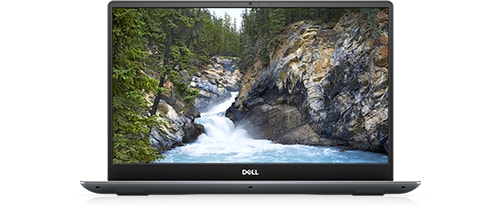
Vostro 7590
Hi guys !
I am running a configuration based on a Vostro 7590 and a docking station WD19TB.
The displays I am using are two DELL monitors and one NEC (connected via Display Port to VGA adapter).
All the displays are connected to the docking station:
- DELL 1 -> through DP - miniDP cable (1920 x 1080 resolution)
- DELL 2 -> through HDMI - HDMI cable (1920 x 1080 resolution)
- NEC -> through DP - VGA adapter (1680 x 1050 resolution)
My issue is that I cannot run 4 monitors at a time. Is there a hardware limitation for that docking station ?
I tried to configure the monitors differently (using the HDMI port that my Vostro has).
While I was using my Toshiba Dynadock station I could easily run 4 displays including the build in monitor.
Now I am on Ubuntu 20.04 and in comparison to the Toshiba dock station every time I try to enable the fourth display it does not let me to apply the changes.
I would be grateful for some advice in my problem, and hope that there is a solution to make my configuration run all 4 displays.
Cheers !
mk444
1 Rookie
•
8 Posts
0
November 14th, 2022 07:00
What are the exact specs of your laptop (CPU and GPU)?
The issue is most likely caused by the fact that integrated graphics in your CPU probably does not support more than 3 displays.
tekiero
5 Posts
0
November 14th, 2022 21:00
@mk444
CPU:
GPUs:
The actual graphics card used by my system is the NVidia one which is listed in the About section of Ubuntu:
The drivers are at version 515:
mk444
1 Rookie
•
8 Posts
0
November 15th, 2022 03:00
Accoring to Intel site your CPU supports up to 3 displays only:
https://ark.intel.com/content/www/us/en/ark/products/191045/intel-core-i79750h-processor-12m-cache-up-to-4-50-ghz.html
I don't know about your old dock but a quick search suggests that Toshiba Dynadock uses DisplayLink which might be the reason why all 4 displays were functioning.
WD19xx docks run display natively using DisplayPort over USB-C, they do not have DisplayLink.
tekiero
5 Posts
0
November 16th, 2022 06:00
So I assume there is no way to use WD19TB by any other way than a maximum of 3 displays (with different resolution) ?
Isn't there a way to make the HDMI port in the Vostro to be used by the NVidia graphics so it could run an additional display? Or make the built in monitor to use that dedicated graphics to display anything ?
According to the earlier reply the docking station uses the internal graphics for processing the signal to the docking station through the thunderbolt interface and the maximum of 3 displays that are supported is the limit?
mk444
1 Rookie
•
8 Posts
0
November 17th, 2022 09:00
AFAIK on some systems it's possbile to switch output to dedicated GPU but don't know about yours - you'd need to check it but I doubt it's possbile on that Vostro.
In short yes but to be precise the docking station doesn't "use" integrated graphics - it only receives display signals. So it's not limit of your docking station but limit of your laptop's CPU which just doesn't handle more than 3 displays in total (it doesn't matter what ports you connect them to).
tekiero
5 Posts
0
November 17th, 2022 21:00
I have tried that configuration just to be sure with it by unplugging one display and connecting it to the HDMI in the Vostro - the effect is the same and only 3 displays can be enabled at a time.
The thing is all the displays are being recognized by both Ubuntu 20 and Win 11 - that is why I asked is there a way to make the HDMI to be used by the dedicated Nvidia graphics. I am guessing that would be the optimal solution to enable the extra monitor.
Hope that in the future there is going to be a solution to this issue. Meanwhile I am going to have to live with those max 3 displays at my HO. Plugging in one cable and being ready for work is a big advantage of this docking station.