

Unsolved
1 Rookie
•
5 Posts
0
390
December 10th, 2022 08:00
Vostro 5590 with Windows-11 Dell Update application vanished after drivers update
Dell Update application vanished after drivers update. Used MyDell and SupportAssist.
Both means of update failed to reinstall Dell Update.
Using Windows 11
No Events found!
ieee488
6 Operator
•
11.1K Posts
•
38.4K Points
1
December 13th, 2022 12:00
https://dl.dell.com/FOLDER08911497M/1/Dell-Update-Application_RYXN2_WIN_4.6.0_A00.EXE
pierre5018
1 Rookie
•
5 Posts
0
December 16th, 2022 06:00
The solution did dot immediately work. The installation failed with this error message : error message on first attempt
Then I investigatyed if any of the incompatible applicatoins listed were installed on my laptop. I did not find an esact match,.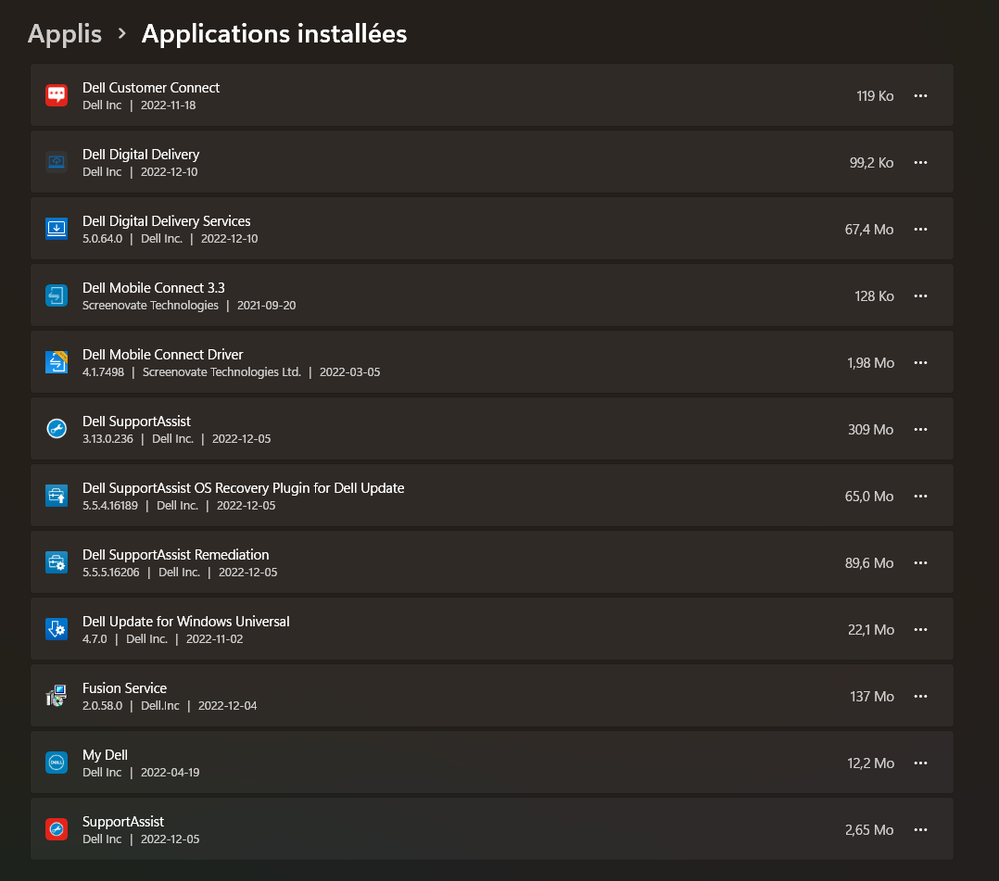 Dell applications found after receiving error message
I selected for deletion Dell Update for Windows Universal, and uninstalled it.
I retried installing Dell Update, and it installed.
The error message would need to be updated to also list the Dell Update Universal app.
In the end it worked, but the error message needs an update, and the whole installation should be automated so The Update App updates smoothly without user intervention.
pierre5018
1 Rookie
•
5 Posts
0
December 16th, 2022 06:00
In addition, the Dell Update page at Dell Update Driver details
does not find a compatible driver :