

Unsolved
1 Rookie
•
2 Posts
0
181
July 23rd, 2023 13:00
Unmountable boot volume blue screen Vostro 3500 with SDD and HDD
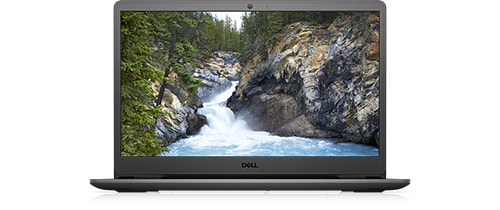
Vostro 3500
Every time my laptop Vostro 3500 shows blue screen with unmountable_boot_volume. I have reset before also for fixing blue screen it is fixed but after few days of fix my laptop shows again blue screen. then also I have reset my PC and installed/upgrade to windows 11 pro but after few days it shows blue screen for unmountable boot volume. now it is irritating for me it has already done my files get deleted due to reset my PC for fixing blue screen
No Events found!
filbert
6 Operator
•
1.8K Posts
0
July 23rd, 2023 14:00
Unfortunately, that error can have many causes. I would run various tests.
Run Dell Diagnostics from BIOS/Setup:
Immediately after pressing the power button to turn on the laptop (or after clicking the Reboot command), press and hold (or repeatedly press) F12 to enter the One Time Boot Menu, select Diagnostics and press Enter. The Dell Diagnostics will test major hardware components. Choose to run the extended tests.
Run chkdsk /r on each partition on the drive.
Also check S.M.A.R.T. information with something like CrystalDiskInfo.
If any of the tests show uncorrectable errors, stop using that computer. Remove the drive and use an external USB drive interface or enclosure, or a spare drive bay in another computer, to backup your data before full drive failure.
Open an Administrator CMD prompt (CMD, run as Administrator).
Paste this command, and then press Enter:
sfc /scannow
Open an Administrator CMD prompt (CMD, run as Administrator).
Paste this command, and then press Enter:
Dism /Online /Cleanup-Image /CheckHealth
After that completes, also in the CMD window,
Paste this command, and then press Enter:
Dism /Online /Cleanup-Image /ScanHealth
If that scan returns an error, rerun the same command again.
When that's done, also in the CMD window,
Paste this command, and then press Enter:
Dism /Online /Cleanup-Image /RestoreHealth
This MakeUseOf article gives other things to try, including repairing MBR or GPT and running Windows' Automatic Repair.
P.S. You should not post your Service Tag in a public forum, as that can reveal private information. I removed it for you.