

Unsolved
1 Rookie
•
6 Posts
0
423
December 14th, 2023 13:15
MY dell Vostro 15 5510 doesn't support PCIe4.0 SSD ( Samsung 990 Pro 1tb ) though it is mentioned in user manual it support PCIE 4.0
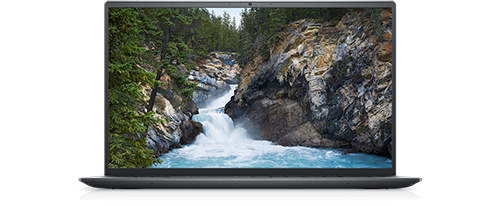
Vostro 15 5510
I bought Samsung 990 Pro 1tb PCIe Gen4.0 , and installed it in my laptop ( Dell vostro 15 5510 - 11390h , GPU NVidia MX 450 )
Although it is mentioned in the Dell Machine User manual that the m2 slot supports PCIe Gen 4 SSD, Unfortunately, it works only at Read and write speed are 3200 MB/s , and by using Samsung magician it keeps telling me that I am connected on PCIe gen 3 not PCIe 4.0.
So I spend too much money for buying this SSD and cant get the benefit of it.
Is there any Solution to turn on PCIe 4.0 Support on M2 Slot to reach the optimum speed of the samsung 990 pro ?


Chino de Oro
9 Legend
•
8.3K Posts
1
December 14th, 2023 15:19
While there is support for Gen 4 NVMe SSD on Vostro 5510, Dell won't provide support to third party components. Did you purchase a small Gen 4, class 40, then replace it with a larger drive or you ordered the system with Gen 3 drive only?
There are two slots, attempt each slot with a system reset to see it could unlock the bus bandwidth. Make sure to take proper precaution while working on the motherboard. If damage occurs during unauthorized work, Dell may refuse warranty repair.
JOcean
9 Legend
•
12.6K Posts
1
December 14th, 2023 15:26
I am not sure if you are adding or replacing an M.2 SSD. This forum page has some information on Gen 4 for the 5510.
Dr. Muhammad Farhat
1 Rookie
•
6 Posts
0
December 14th, 2023 15:59
@Chino de Oro
thanks alot for your reply
My machine came with small m2 Kingston 512 gm PCIe gen 3 .
I upgraded to samsung 990 pro
I have already reset all bios settings, removed the old SSD , installed a new fresh windows 11 on the new samsung SSD
but the problem still
Dr. Muhammad Farhat
1 Rookie
•
6 Posts
0
December 14th, 2023 16:01
@JOcean I have the same problem
but this forum didn't mention any solution
JOcean
9 Legend
•
12.6K Posts
1
December 14th, 2023 17:15
Have you tried both slots as only one of them may be Gen 4. Also pull the CMOS battery and leave it out for 15 minutes then reconnect the battery and try again.
(edited)
Dr. Muhammad Farhat
1 Rookie
•
6 Posts
0
December 15th, 2023 08:38
@JOcean
Thanks alot
Unfortunately, I tried these steps but nothing improved.
nkRju
1 Rookie
•
1 Message
0
November 5th, 2024 07:45
I also have these problems on dell vostro for 990 pro. I did some things but didn't work then i just restart pc (not shutdown) with internet connected. It detect 990 pro & now it's there..:)