

Unsolved
1 Rookie
•
5 Posts
0
1410
May 29th, 2023 03:00
How to check the originality of the battery for Dell Vostro
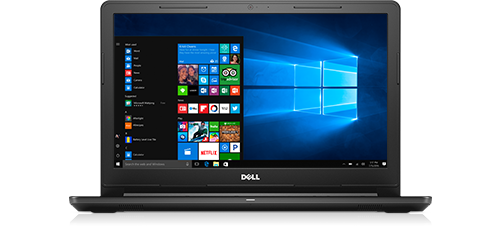
Vostro 15 3568
Hi, can you tell me whether my battery is original or duplicate?
the sticker has the following info
CN-M5Y1K-71629
2CJ-A52C-A00
I want to confirm as this one looks a bit different from the one that came with the laptop when I bought the laptop.
No Events found!
Light080-302
1 Rookie
•
5 Posts
0
May 29th, 2023 05:00
I bought this one from the official dell store.
Light080-302
1 Rookie
•
5 Posts
0
May 29th, 2023 05:00
Also, the design and the full charge capacity are different from the previous battery.
Are you sure that this is a rebuilt battery?
ejn63
12 Elder
•
31K Posts
•
153.7K Points
0
May 29th, 2023 05:00
It may at one time have been an original battery, but the added stickers plus the date code mean it was probably rebuilt with new cells at some point -- it does not appear to have been made in 2022 (the 2 in the date code likely refers to 2012).
Only your seller can confirm, but it's a rebuilt battery -- not a new one.
Light080-302
1 Rookie
•
5 Posts
0
May 29th, 2023 09:00
They had provided 6 months warranty coverage, but as far as I know, 1 year warranty is provided on original parts.
ejn63
12 Elder
•
31K Posts
•
153.7K Points
0
May 29th, 2023 09:00
That handwritten label suggests it is -- it's also showing only about 85% of what its full charge capacity should be.
There are no "official Dell stores" -- either the battery came from Dell directly (which is unlikely given the age of the system) or it came from a dealer/reseller that may have a Dell affiliate status, but isn't Dell.
ejn63
12 Elder
•
31K Posts
•
153.7K Points
0
May 29th, 2023 10:00
That just adds to the evidence. It's a rebuilt battery.
Light080-302
1 Rookie
•
5 Posts
0
May 29th, 2023 10:00
Thank you very much for your support and guidance. I should go right away to the seller and dictate about this issue.
anyabaker
1 Rookie
•
66 Posts
0
May 30th, 2023 00:00
Basically there are some methods you can follow-
Look for physical indicators: Start by examining the battery physically. Original Dell batteries usually have a Dell logo or branding on them. Carefully check the battery for any signs of tampering or irregularities in the label or packaging.
Check the product information: Find the product information of your laptop battery. This can usually be located on the battery itself or in the laptop's documentation. Look for specific details such as the model number, serial number, and any other identifying information.
Verify the model and part number: Visit the official Dell website and navigate to the support or battery section. Look for the section where you can search for batteries based on the laptop model or part number. Enter the model number or part number of your battery to check if it matches the details provided on the Dell website.
Compare the physical appearance: Compare the physical appearance of your battery with images of original Dell batteries available on the Dell website or from reputable sources. Look for any differences in size, shape, color, or labeling.
Consider battery performance: Original Dell batteries generally provide better performance and battery life compared to duplicate or counterfeit ones. If you notice significantly shorter battery life or other performance issues, it could be an indication of a duplicate battery.
Check the seller's authenticity: If you purchased the battery from a third-party seller or online marketplace, research the seller's reputation and authenticity. Look for customer reviews and ratings to see if there are any complaints about counterfeit products.
Consult Dell support: If you are still uncertain about the authenticity of your Dell laptop battery, contact Dell's customer support. Provide them with the battery's details and any other relevant information to get their assistance in verifying its authenticity.