

Unsolved
1 Rookie
•
2 Posts
0
2414
September 25th, 2022 12:00
Dell Vostro 3515 Bricked Bios - won't recognise rcv file Bios Recovery
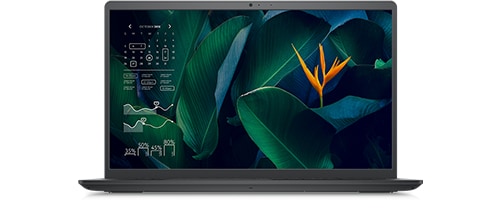
Vostro 15 3515
As i have stated in the title, laptop bios stuck on update, and wont boot no more.
I am trying to use Bios Recovery with BIOS_IMG.rcv file downloaded from dell official support on a FAT32 formated Kingston USB 3.0 16GB.
Instructions that i am using are next: AC Power out of the laptop, USB with .rcv file in root directory inside, press Ctrl+ESC, AC Power in laptop, release buttons.
After that laptop turns on and after 20 seconds i get LED notification 3 times amber color then 3 times blue or someone may say (white) color.
Reviewing manuals for my laptop i figured LED blinking 3,3 = Recovery image not found. | I do not know how i cannot be found when i am doing all the steps right, tried all usb ports and even one sd card with 128mb memory. Same thing happening.
So if anyone has some radical answer to this i do not even know how to call it "not usual behavior" please help me because i need this laptop fixed asap.
Global Web
1 Rookie
•
2 Posts
0
September 25th, 2022 13:00
I am getting no display output. I guess if laptop loads file from usb that i will get displayed BIOS Recovery screen. Instead i just get led lights as an information that laptop didn't find .rcv file and backlight of keyboard.
ejn63
12 Elder
•
31K Posts
•
153.7K Points
1
September 25th, 2022 13:00
With the newest of the recovery modes -- this system will support that -- you should get to a recovery screen even without a flash drive connected. Before trying, unplug the system, remove the base cover and disconnect the main battery from the system board. Hold the power button for 30 sec, shut down, and reconnect the battery and plug in the AC power. Hold CTRL + ESC and try powering up.
If you can get to a recovery screen, there is hope for the recovery. If you cannot, replace the system board.
ejn63
12 Elder
•
31K Posts
•
153.7K Points
0
September 25th, 2022 13:00
If the BIOS recovery instructions do not work, chances are there's more here than just a bad flash. Can you get into the recovery at all with the CTRL-ESC?
https://www.dell.com/support/kbdoc/en-us/000132453/how-to-recover-the-bios-on-a-dell-computer-or-tablet
If not, a replacement system board is in your near future.
CaptMac
1 Rookie
•
1 Message
0
March 28th, 2024 18:07
Battery disconnect/reconnect was all it took to get my Inspiron15 back up and running this morning. Thanks for the tip.