

Unsolved
Moderator
•
349 Posts
0
120
April 30th, 2024 20:28
Unable to restore image from secondary disk in Hyper-V
Issue: When trying to apply an image to a Hyper-V from a secondary disk, the tool will error with “Invalid Location” thinking that the source disk & target disk are the same because Image Assist incorrectly sets the secondary disk as the primary disk.
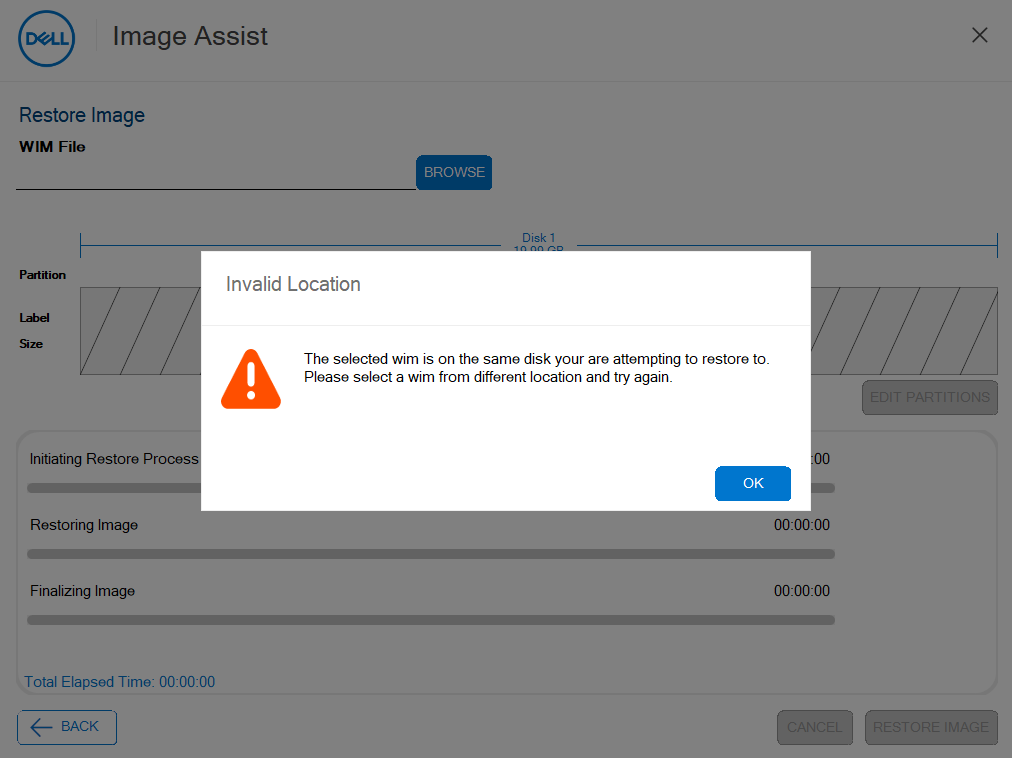
Workaround: Set target restore disk for DIAX in Hyper-V
Press F8 to get to a CMD window. Determine the disk you intend to restore the image to, by entering the following two commands:
diskpart
list disk
Next, type the following command:
notepad x:\windows\system32\classicpeapplication\imageassistpe.exe.config
Using the disk value from diskpart, add the following line & save it.
<add key="TargetRestoreDisk" value="0"/>

Close the GUI & then relaunch it by running:
x:\windows\system32\classicpeapplication\imageassistpe.exe
You can now restore the image from the secondary disk to the primary disk.
Related Articles:
Contact us for more information.
If you do not already have a Dell contact, use the Global Imaging Contact Sheet to get started.
Learn More with Live Webinars.
See Dell Configuration Services Imaging & Provisioning Webinar for webinar schedules and registration details.
every Thursday from 9:30AM-10:30AM CST (3:30-4:30 UTC/GMT)